
The order journal
KwikEat records every order, change, payment and End of day so it can't be altered. What that is, why it's there, and how to export it for your accountant.
KwikEat keeps a journal: a list that lines can only be added to. Every order, change, cancellation, payment, refund and End of day goes into it, with date and time and all details. The journal is always on.
Why
- Your books provably add up. In the Netherlands you must keep your sales for 7 years, per receipt. With the journal you can show the tax authorities or your accountant that nothing was removed or altered.
- Orders are never deleted. A cancelled order stays, with its reason. A changed order leaves every version in the journal.
- Personal data no longer than needed. Names and addresses disappear from old orders after the period you set (see Customers); the orders themselves stay.
How it works
Each line has a sequence number without gaps and a hash: a fingerprint of the line and of the line before it. If someone alters or removes a line afterwards, outside KwikEat, the chain no longer adds up from that point.
KwikEat checks the chain in Settings → Links & security → Order journal and at End of day:
- On · in order: 12,345 lines since 1-10-2026: all is well.
- In red the chain breaks at line …: the journal was changed outside KwikEat. Keep the database as it is and contact support@kwikeat.com.
Exporting
At End of day → Export… you choose a period (a month, a whole year, or everything) and a file:
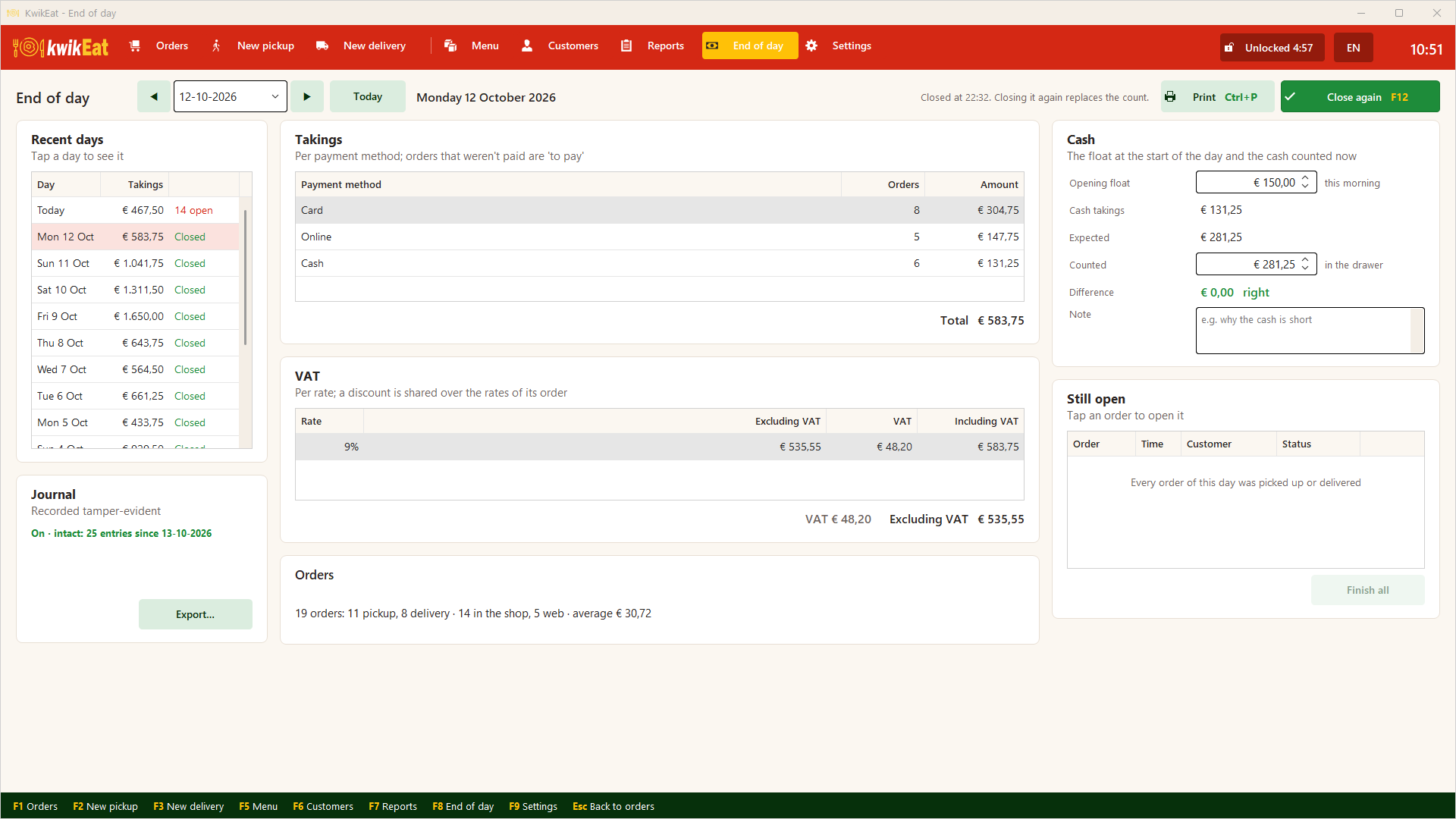
- CSV (opens in Excel), or
- JSON.
The file contains the hashes, so your accountant can check the chain outside KwikEat too.
Export the journal every month and keep the file off the computer, with your accountant for example. Together with the printed End of day slips, that proves later that the data wasn't rewritten.
What's in it
| Event | When |
|---|---|
| Order placed | At the counter, on the phone or from the web shop, with every line, price, VAT and option |
| Order changed | The complete new version |
| Order cancelled | With the reason |
| Payment / refund | With the payment method |
| Day closed | Takings, VAT, cash, difference, and a running total of all orders since the start |
| Backup restored | So it shows that the database was replaced |
| Personal data removed | How many orders, without names |
The technical description (for accountants and tax authorities) is available from support@kwikeat.com.
Last updated: 15 October 2026