
End of day
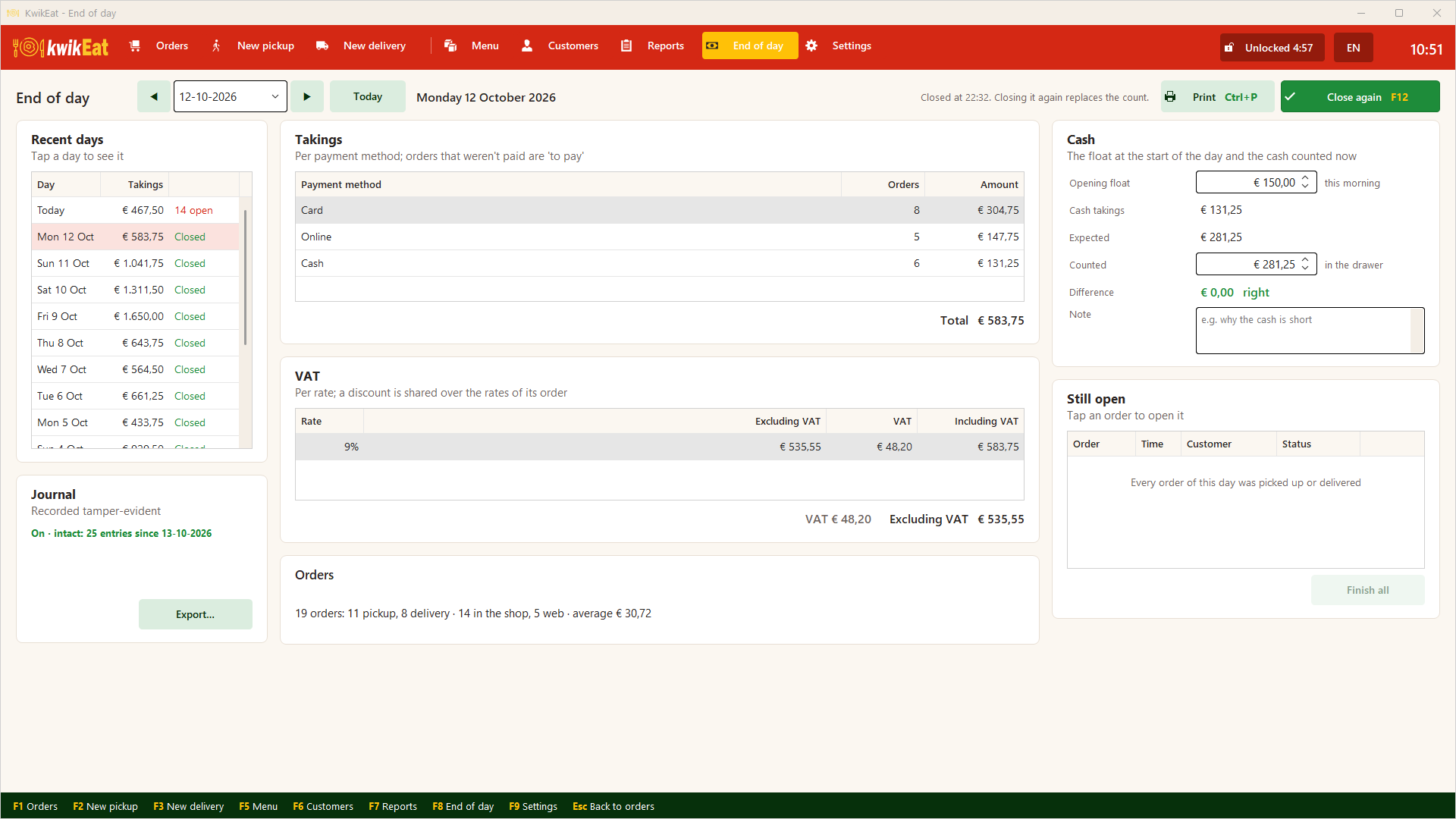
At the end of the day: takings per payment method and VAT rate, finishing open orders, counting the cash and closing the day.
F8 opens End of day. You see today; with Ctrl+← and Ctrl+→ (or the arrows) you look at the day before or after, and on the left are the recent days with their state: Closed, 3 open, Not closed.
What is "the day"?
A day is a calendar day: from 00:00 to 23:59 of that date, by the moment the order was placed. An order placed at 23:55 and collected after midnight belongs to the day before.
What you see
- Takings per payment method. What hasn't been paid is under to pay. Cancelled orders don't count; they are listed separately, with their amount and reason.
- VAT per rate, excl. and incl. VAT.
- Orders: how many, collection and delivery, in the shop and on the web, and the average amount.
- Cash: the opening float, the cash takings, what is expected and what you counted.
- Journal: whether the order journal is in order, with Export….
Finishing open orders
If orders are still open (not picked up or delivered), you see them under Still open. Tap an order to open it, or tap Finish all: they are marked picked up or delivered and leave the order board. What hasn't been paid stays under to pay in the takings.
You don't have to do this to close; KwikEat does ask.
Counting the cash
- Under Opening float enter how much was in the drawer this morning.
- Count the cash and under Counted enter what is in the drawer now.
- KwikEat works out what should be there (float + cash takings) and shows the difference: right, over or short.
- If there is a difference, put the reason under Note.
Cash takings come from the payment methods set to cash in Settings. If none is, KwikEat says so.
Closing
Tap Close day (F12). You can print the End of day, on the receipt printer.
Made a mistake? Close again replaces the count. The earlier close stays in the journal, so it shows that a correction was made.
Let KwikEat make a backup right after closing. See Backup.
In Germany and France KwikEat doesn't count cash: there the totals are an order overview, not fiscal, and you count the cash in your own till. See Order mode.
Last updated: 15 October 2026