
Backup and restore
A copy of everything (orders, menu, customers, journal) off the computer, automatically or by hand, with a password if you like.
KwikEat keeps everything in one database on this computer: orders, menu, customers and the journal. If the computer breaks or is stolen, a backup is the only way back. So set it up, on day one.
Open it via Settings (F9) → Links & security → Backup → Backup and restore.
Setting up
| Setting | Choose |
|---|---|
| Folder | A folder off this computer: a USB stick, a network folder or NAS, or a folder synced with OneDrive or Dropbox. If the folder is on the same disk as the database, KwikEat warns you. |
| Automatically | After closing the day, When KwikEat starts (once a day), or Only by hand |
| With a password | On: the backup is encrypted. Write the password down: without it nobody can restore the backup, not even KwikEat. Off: anyone who finds the USB stick can open the customer details. |
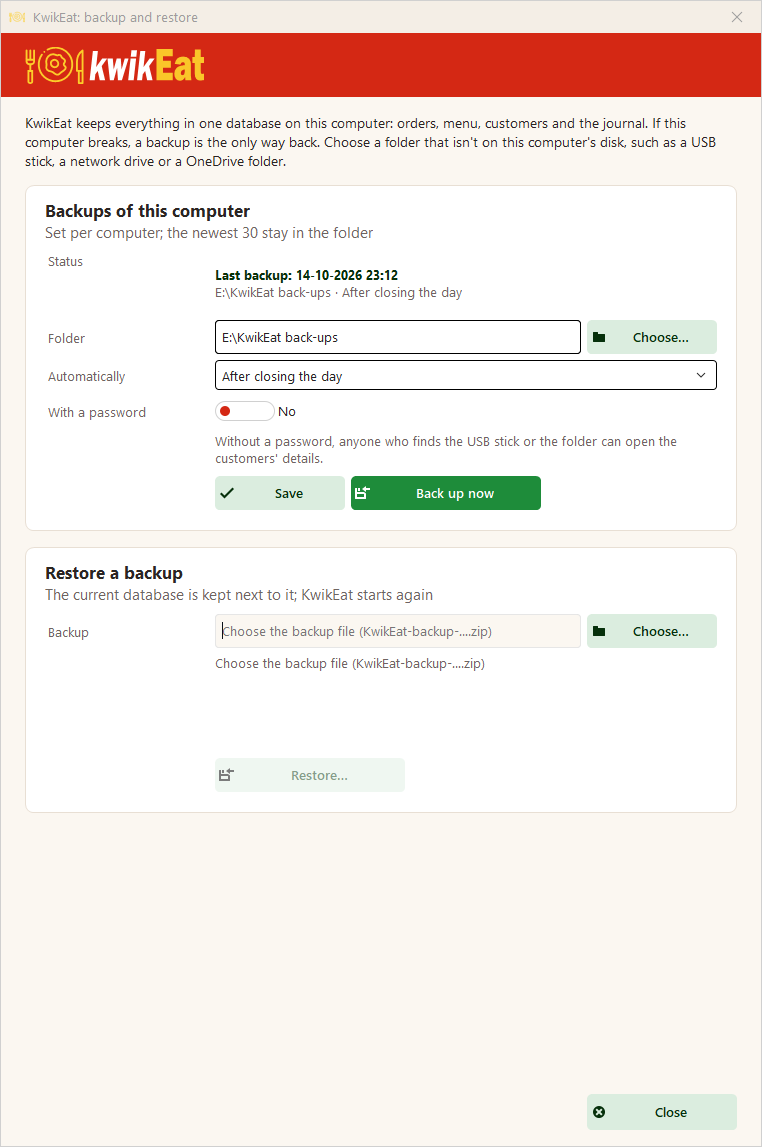
Back up now makes one at once, and checks it. The newest 30 stay in the folder; older ones go by themselves. This is set per computer.
Restoring
Under Restore a backup choose the file (KwikEat-backup-….zip) and enter the password if there is one. KwikEat restarts with the restored data.
- The current database is not thrown away: it is kept next to it.
- The restore is recorded in the journal.
To a new computer
- Make a backup on the old computer (if that's still possible).
- Install KwikEat Desktop on the new computer.
- At the first start choose Restore a backup… instead of setting everything up again.
The licence belongs to the computer and is not in the backup: enter your licence details again on the new computer.
Last updated: 15 October 2026