
Delivery and postcodes
How KwikEat completes addresses from postcode and house number, works out the distance, and from that the delivery charge and the couriers' kilometres.
Addresses: postcode and house number
In the Netherlands postcode + house number is enough: KwikEat fills in the street and town itself. It works like this:
- KwikEat first looks in the addresses around the shop stored on this PC (see below). That is fast and works without internet too.
- If the address isn't there, KwikEat looks it up online in the official address register of the Netherlands (the BAG, via PDOK).
If the lookup fails, you type street and town yourself. An addition (e.g. a or bis) and an Extra line (floor, entrance) can always be added.
Outside the Netherlands (Belgium, Germany, France, Spain, the US) you type the street and house number in the search box and pick the address from the list that appears. In the US a state belongs with it.
Downloading the addresses around the shop
In Settings → Shop → Address → Postcodes you download all addresses within your delivery area. It takes a few minutes and is then available on this PC, also without internet. Do it again when new houses have been built. You can also import a postcode file (CSV) from the web shop.
You don't strictly need it: without the download, KwikEat looks up every address online.
Distance and delivery charge
KwikEat works out the straight-line distance from the shop to the address, starting at the shop's address. Not the route by road: that differs per courier and per moment, and a straight line is predictable for the customer.
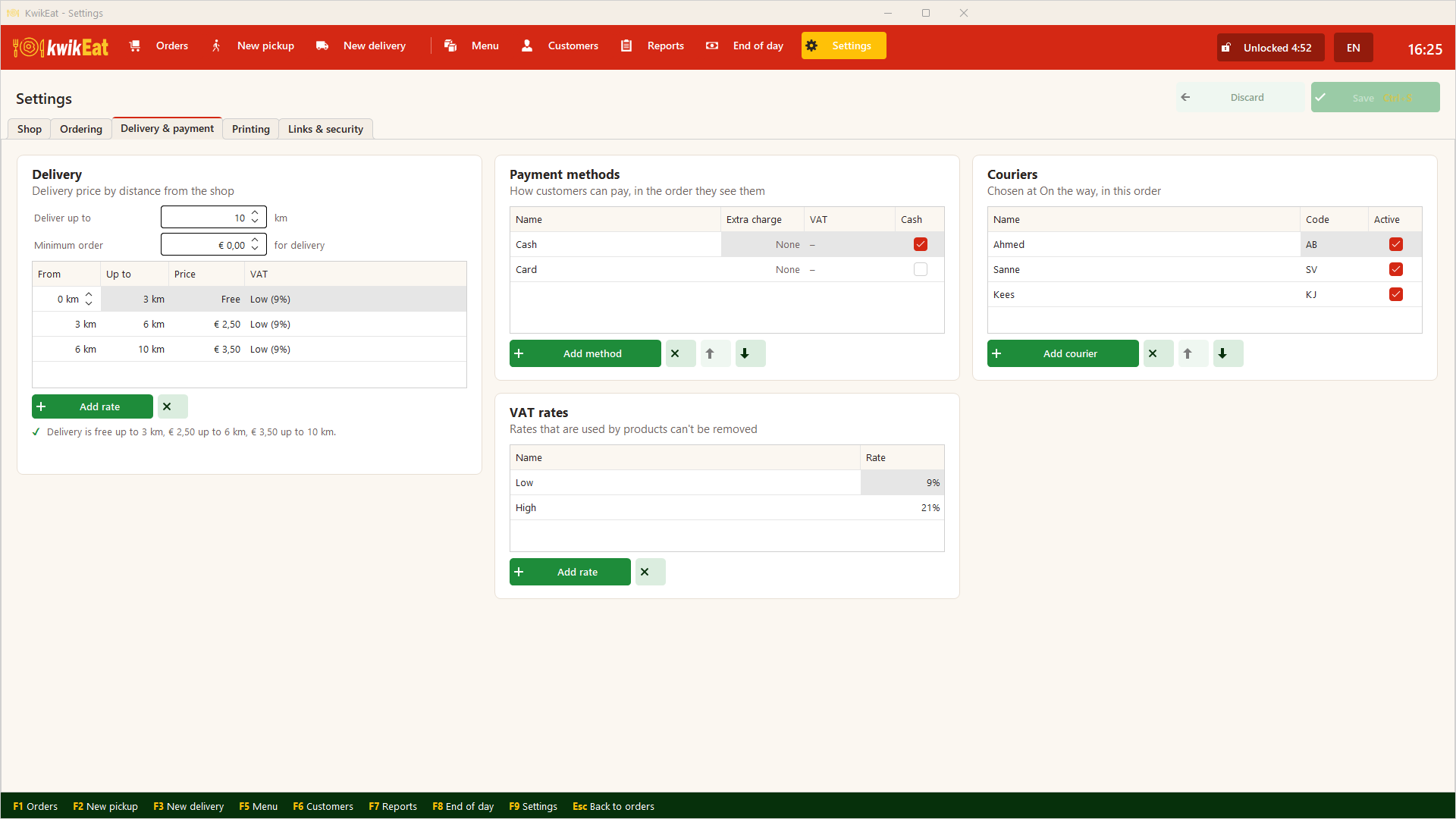
In Settings → Delivery & payment → Delivery you set:
- Deliver up to: how far you deliver, in km.
- Minimum order: the least a delivery order must come to (€ 0.00: no minimum).
- Delivery rates: a price and a VAT rate per distance. A new shop starts with:
| From | To | Price |
|---|---|---|
| 0 km | 3 km | Free |
| 3 km | 6 km | € 2.50 |
| 6 km | 10 km | € 3.50 |
KwikEat warns you when the rates don't fit together: a gap between two rates, rates that overlap, or rates that stop before Deliver up to.
On the order screen you see the address with the delivery charge at the top (Delivery 4.2 km € 2.50); on the receipt it is a line of its own.
Couriers
In Settings → Delivery & payment → Couriers you list who delivers: a name and a short code (e.g. the initials). The order is the order in which they are offered.
- With active couriers, KwikEat asks at On the way on the order board who takes the order (big buttons, touch-friendly). Change it later with
Con the card. - Someone who stops is set to not active: their deliveries stay in the overviews.
- When Desktop is linked to a web shop, the portal's couriers are added by themselves (Portal).
In Reports you see per courier how many orders they took and how many kilometres they drove: per delivery there and back, so 2× the straight-line distance. A guide for a mileage allowance.
Last updated: 15 October 2026