
The order board
All running orders in four columns: New, In the kitchen, Ready and On the way. One key moves an order to the next step.
The order board (F1) shows every order that hasn't been picked up or delivered yet.
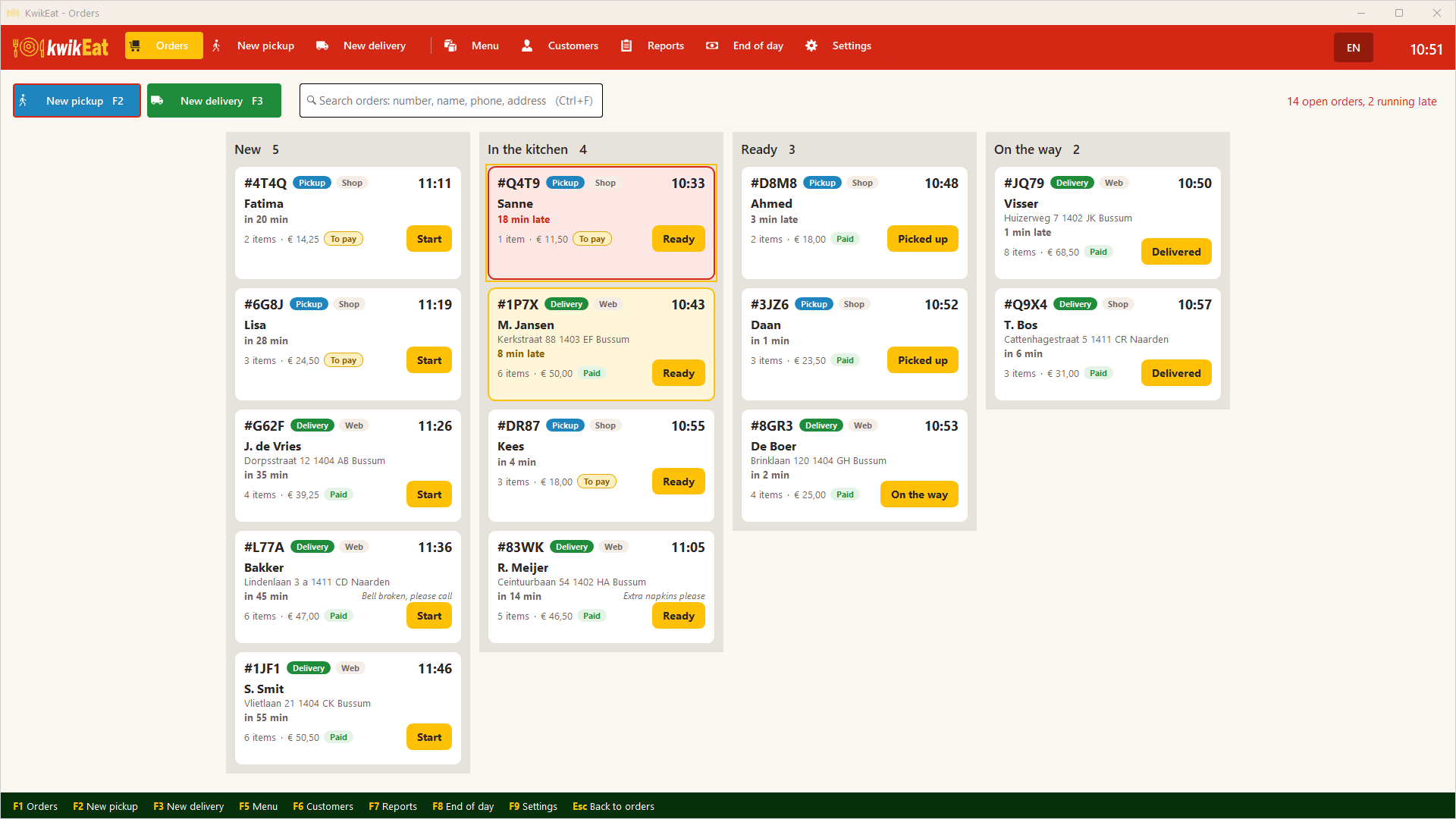
The columns
| Column | Meaning |
|---|---|
| New | Just placed, not started |
| In the kitchen | Being prepared |
| Ready | Ready to be collected or handed to the courier |
| On the way | The courier is on the way (delivery only) |
After that an order is Picked up or Delivered and leaves the board. It is kept of course: you find it with search, with the customer and in the reports.
Each card shows the number, collection or delivery, shop or web, the customer, the number of items, the amount and Paid or To pay. The time shows when the order must be ready (in 12 min); when it is late, the card changes colour and says 8 min late. At the top you see how many orders are open and how many are late.
Working with the cards
Choose a card by tapping or with the arrow keys. Then:
| Key | Does |
|---|---|
Enter |
Next step (New → In the kitchen → Ready → On the way / Picked up → Delivered) |
| space bar | Open the order |
P |
Pay (with To pay) |
C |
Choose or change the courier |
K |
Print the kitchen ticket again |
Opening an order
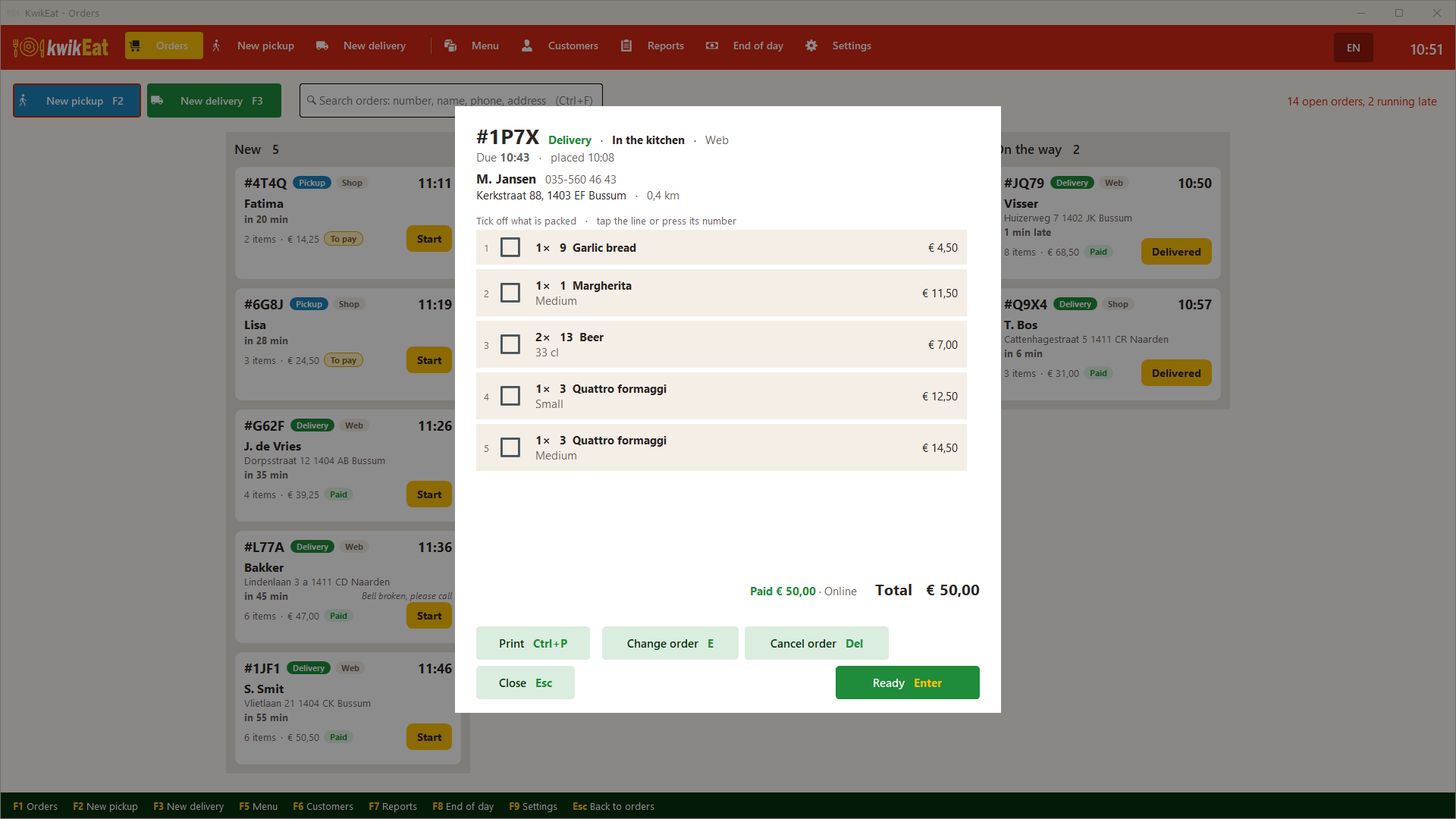
An open order shows all its lines. You can tick off what has been packed (tap the line or press its number), and you have the buttons Print, Kitchen, Change order, Cancel order, Pay or Refund, and Next. A picked-up or delivered order goes back with Back on the board.
Changing and cancelling: see Changing and cancelling.
Searching
Ctrl+F searches all orders: by number, name, phone number or address. Esc clears the search.
Web orders
When Desktop is linked to a web shop, online orders arrive in New with a sound and a notice, marked Web. The receipt (and the kitchen ticket, if used) is printed by itself. Orders paid online arrive only once the payment is confirmed. Every step you take on the board is shown to the customer online. See Linking Desktop to the web shop.
Couriers
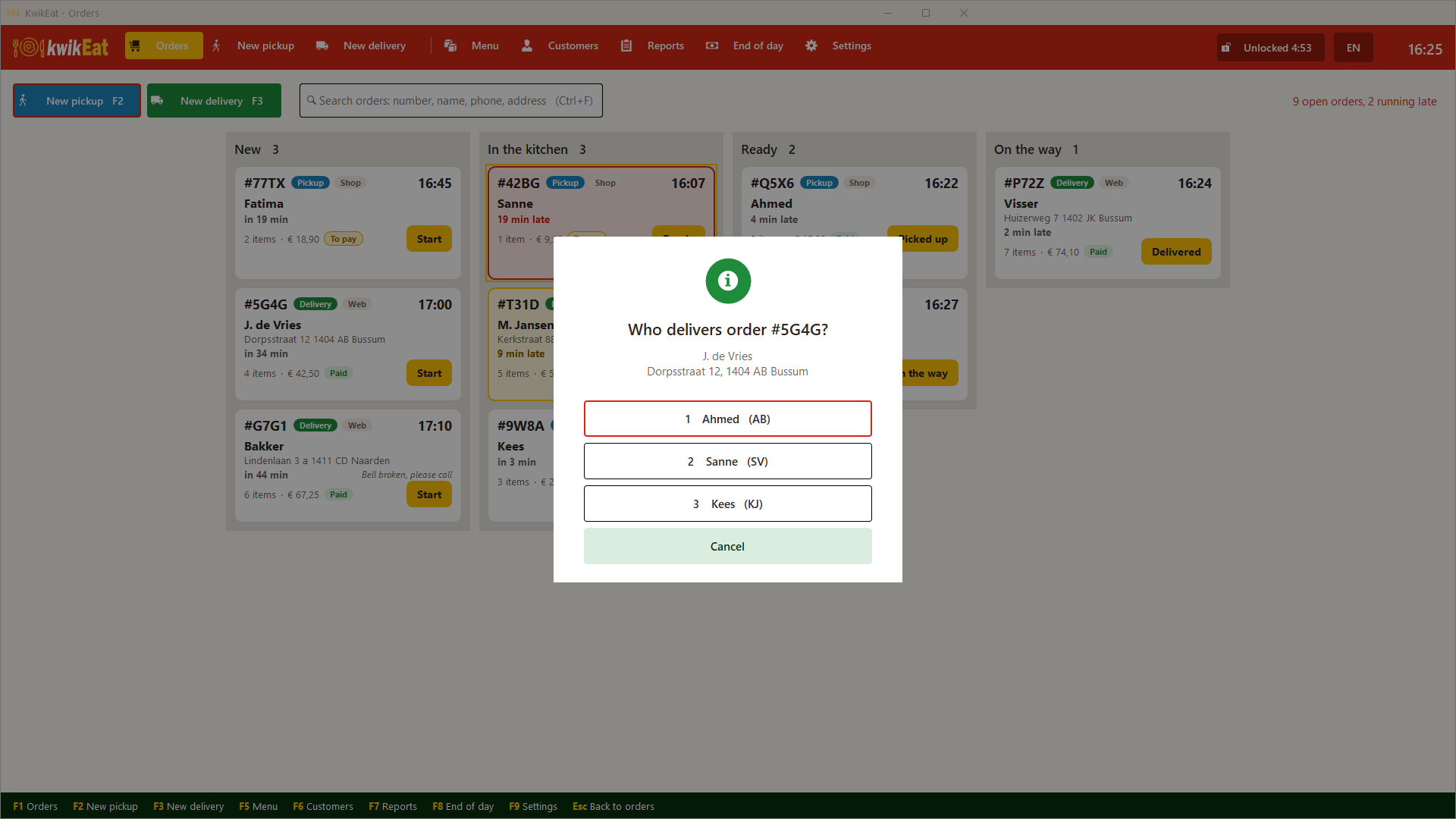
If you have set up couriers, KwikEat asks at On the way who takes the order. That counts in the reports, with the kilometres driven.
Last updated: 15 October 2026