
Customers
The customer and address book: searching, details and notes, order history, and how long personal data is kept.
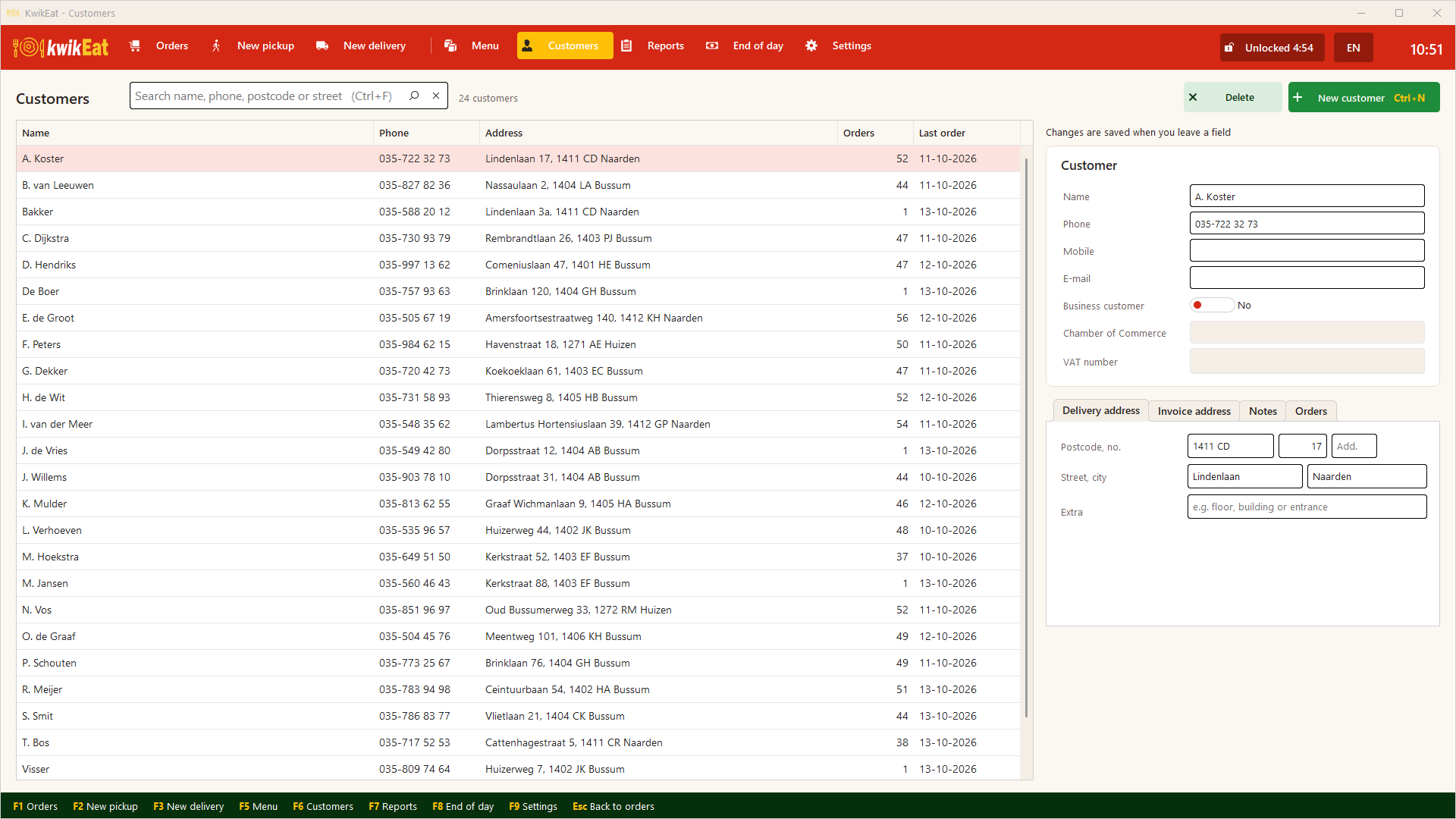
F6 opens the customers. Delivery customers are added by themselves with their first order; you can also add them yourself with New customer.
Searching
Search with Ctrl+F by name, phone number, postcode or street. Choose a customer to see their details and recent orders; tap an order to open it.
Details
Name, phone, mobile, e-mail, the delivery address and if needed a separate billing address. For companies: Business customer with company and VAT number. Under Notes you put what the courier or kitchen should know: side entrance, bell broken, allergies.
Changes are saved as soon as you leave a field.
Deleting and privacy
Deleting a customer removes them from the customer file. Their orders are kept, with their own copy of name and address: those belong to your books.
In Settings → Links & security → Order journal, under Customer details in orders, you set how many months they are kept; after that, name, address and remarks disappear from old orders by themselves. That way you don't have to track what you may still keep under the GDPR.
Last updated: 15 October 2026